A QR code on a banner should be large enough for people to scan from where they will actually stand, with a clear margin and strong contrast. Test the final design on more than one phone before approving the print proof, especially if the banner will be viewed from across a road or event space.
The right size depends on viewing distance, code complexity and the phone camera. We print banners and boards from customer-supplied sizes and designs, and share a digital proof for approval before printing.
How big should a QR code be on a banner?
There is no single QR code size for banner use. A code scanned from a few feet away can be smaller than one meant for a person standing across a wide footpath or open event ground. Plan for the farthest realistic scanning position, then allow extra size for busy artwork, low light or a quick passing glance.
A useful starting estimate is to make the code’s width at least one tenth of the intended scanning distance. For example, if people are expected to scan from 10 ft away, begin with a code around 1 ft wide. Treat that as a planning guide, not a guarantee: the code design, print sharpness, lighting and phone camera all affect results.
Keep the code square and give it a blank border on every side. Avoid placing text, a coloured shape or a photo right up against its edges. If the available banner area is tight, simplify the artwork around the code rather than squeezing the code into a narrow gap.
| Expected scan distance | Starting code width | Where it may suit |
|---|---|---|
| 3 ft | About 4 in | Counter display or close viewing |
| 10 ft | About 1 ft | Small event banner or entrance |
| 20 ft | About 2 ft | Large banner with open viewing space |
| 40 ft | About 4 ft | Roadside or large-format display |
How far away can a QR code be scanned?
The practical scanning distance depends on code size and conditions, so there is no fixed maximum. A larger code can usually be scanned from farther away, but the viewer must be able to point a camera at it without obstruction. A small code high above eye level may be hard to frame even if its printed dimensions look adequate.
Think about how people will approach the display. A visitor at a stall can step closer; a person on a busy pavement may only have a moment. For a roadside hoarding, do not assume people can safely stop to scan. Place the code where viewers can approach it safely and where it is not hidden by poles, vehicles or other signs.
For a banner-size plan, note the viewing distance alongside the finished dimensions in feet and inches. Our banner size guide can help with layout planning, while hoarding printing in Pune is relevant when the artwork is for a large roadside display.
What contrast and colours keep a QR code scannable?
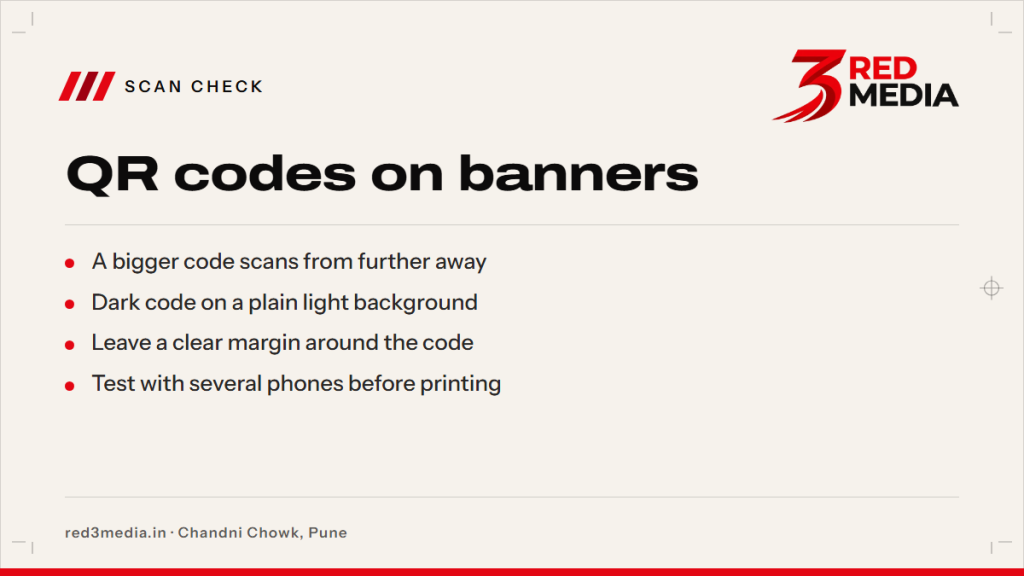
Use a dark code on a plain, light background. Black on white is a dependable choice. A dark navy code on a pale background can also work, but avoid subtle colour differences, gradients, metallic effects or a busy photograph behind the pattern.
Keep a clear, unprinted margin around the code, often called a quiet zone. Do not let a border, headline or other graphic intrude into that space. Check contrast on the actual proof at full size, as colours that appear distinct on a bright screen may be less distinct in print or under poor lighting.
If the banner is for outdoor use, think about glare and sunlight as well as colour. A glossy surface can reflect light at certain angles, making the code harder to read. Ask for the proof to show the QR code at a size that is easy to inspect, and consider where the display will face.
Can I put a logo inside a QR code?
A small logo may fit in the centre of some QR codes, but it can cover parts of the pattern that a camera needs to read. Keep the logo modest and use a code with error correction suited to the design. The safest check is to scan the finished artwork at its intended printed size on several phones.
Avoid stretching, recolouring or reshaping the QR code. Do not place a logo over its corner finder squares, which help the camera locate the code. If the code links to a campaign page, check that the destination works and is likely to remain available for as long as the banner is displayed.
How do I test a QR code before printing a banner?
Test the code from the actual artwork, not only from a small screen preview. Print a paper sample at the intended code size, or display the artwork at full size on a screen if a sample is not practical. Scan from the expected distance and from a slight angle, then check that the link opens the correct page.
Try more than one phone, including different camera apps if available. Test in the lighting where the banner will be used, and check that the code still scans after the artwork is placed on its background. If it fails, increase its size, simplify nearby graphics, improve contrast or restore the blank margin.
Send the final dimensions and artwork together so the code can be checked in context. Our artwork sending guide explains what to share. At 3 Red Media’s print unit in Chandni Chowk, Pune, we prepare a digital proof for approval before we print.
Do hoardings need a QR code in Pune?
A QR code is optional artwork unless the campaign or site has a specific requirement. For an outdoor hoarding or banner in Pune, permissions may apply through PMC or PCMC depending on the location and display. Check with your ward office and the relevant authority for current requirements before arranging the display.
Make the code useful for people who can safely reach it. A code on a large hoarding may be difficult to scan from a moving vehicle, so consider a nearby pedestrian-facing banner or board instead. If the display is outdoors, plan for rain and wind during Pune’s June to September monsoon period.
Share the finished size, intended viewing distance, placement and artwork through our quote form. We will provide a price and digital proof, and print only after you approve the proof.