QR code stickers work best when the code is large enough for the expected scanning distance, printed with clear contrast and given a quiet margin. For a shop counter or table, test the actual artwork on a sample size before printing many, and place it where customers can scan without glare or obstruction.
At 3 Red Media, we print vinyl QR code stickers from customer supplied size and design, then share a digital proof for approval before printing. The print unit is at Chandni Chowk, and delivery can be arranged across Pune and PCMC, or by courier elsewhere in India with the courier charge added to the quote.
What size should a QR code sticker be?
There is no single size that suits every QR code sticker. A code on a counter, scanned from a few inches away, can be smaller than one placed on a door or display where people scan while standing back. As a practical starting point, keep the printed code around 1.5 to 2 inches square for close use, and make it larger if the scan distance increases.
The code itself is only part of the sticker. Leave a clear light margin around all four sides, often called a quiet zone, and do not let a border, text, cut line or other graphic crowd it. Keep any logo or instruction outside that margin. If the sticker includes a heading such as “Scan to view menu”, check that the code still has enough room.
For a larger layout, tell us the finished sticker size in inches or feet and share the design. We can prepare a digital proof showing the artwork at the intended size. Read our artwork preparation guide for file and sizing details.
Which material is best for QR code stickers: vinyl, paper or laminated?
Choose material based on where the sticker will sit and how it will be handled. Paper can suit a short-term indoor label, while vinyl is commonly chosen for a more durable sticker on a counter, door or display. Lamination can help protect a printed face that gets touched or wiped, though it does not correct a low-contrast or poorly sized code.
| Use | Material consideration | Before approval |
|---|---|---|
| Indoor, short-term use | Paper may suit a temporary label | Check that the surface stays dry and clean |
| Shop counter or door | Vinyl is a practical choice for regular use | Confirm the surface and sticker size |
| Frequently wiped area | Consider laminated vinyl | Check that reflections do not affect scanning |
| Outdoor or sunlit placement | Check exposure, surface and position | Test in the actual light and viewing angle |
A glossy surface can reflect light toward the phone camera, especially near a window or under bright shop lighting. If you plan to wipe the sticker regularly, test a finished sample under the same light and at the same angle customers will use. See our vinyl sticker printing options for common sticker applications.
Why do some printed QR codes fail to scan?
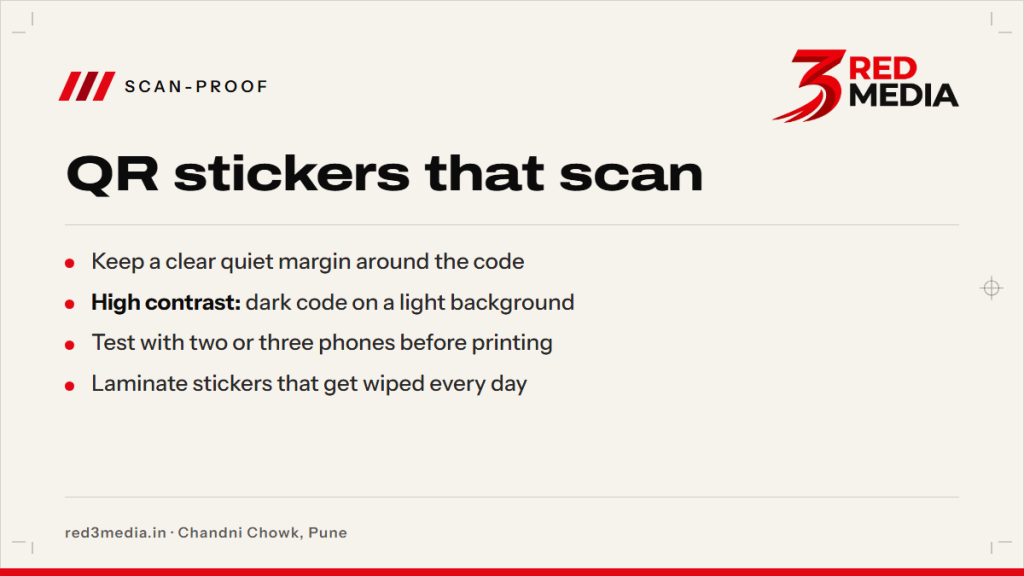
A code may fail because it is too small, blurred, distorted or printed with weak contrast. A busy background, tight crop or design element inside the code can also make scanning difficult. Keep the code square, use a dark code on a light background, and avoid stretching the artwork to fit a different shape.
The digital source matters too. A small screenshot can lose detail when enlarged, and a code copied from a low-resolution image may already be soft. Send the original code file or a sharp export where possible. We check the supplied layout in the digital proof, but the final scan should also be tested from the actual printed sticker.
A code that opens correctly on one phone may behave differently on another because camera focus, settings and lighting vary. Try several phones, hold them at the distance customers are likely to use, and check that the destination opens as intended. Avoid placing the sticker where glare, shadows or a curved edge interfere with camera focus.
Where should a QR sticker go on a counter, door or table?
Put the sticker within easy reach and sight, with enough room for someone to point a phone at it. On a counter, keep it near the payment or ordering point, but away from clutter, spills and frequently moved items. On a door, place it at a comfortable viewing height and avoid glass areas with strong reflections.
For table use, check that the code is visible from a seated position and does not fall on a curved edge. A smooth, clean, dry surface helps the sticker sit flat. Shop owners planning a broader display can review shop branding print ideas; food businesses can see restaurant branding print ideas.
If your location faces strong afternoon sun, particularly through west-facing glass, inspect the sticker at that time of day too. Pune’s monsoon from June to September can also expose entrance stickers to water and damp surfaces. For outdoor placement, check the installation surface and local requirements with the relevant authority; for permissions, check with your ward office.
Can I print a payment QR sticker for my shop?
Yes, we can print a shop’s supplied payment QR artwork as a vinyl QR code sticker. Send the exact code file and the finished size you want. We share a digital proof so you can confirm that the code, labels and layout are correct before printing.
Make sure the artwork points to the payment account or service you intend to use. We print the submitted design; the business owner should check the QR destination and payment details before approving the proof. Do not rely on a screenshot of a payment confirmation as a substitute for checking the code itself.
How do I test a QR code before printing many stickers?
First scan the digital artwork on a screen at the approximate size and distance you expect. Then check the digital proof for the quiet margin, contrast, orientation and text. Once a printed sample is available, scan it with two or three phones under the lighting and from the angles customers will encounter.
Test the printed sticker on the intended surface if possible. Look for glare, wrinkles, edge lift or reflections, then scan again after any adjustment. If the code is part of a set, check every distinct code and confirm each one opens the correct page or payment destination.
Send the size, artwork and placement details with your request. We can quote from those details, include courier charges when required, and send a digital proof for your approval before printing. Request a QR sticker quote with your size and design.